Privacy Mode (Rotating Wallpaper) lets you turn your Hearth Display into a living photo album. You can upload up to 20 photos from the Hearth companion app, set a rotation cadence, and watch your photos cycle on the display throughout the day.
How can I upload wallpaper images?
You can upload up to 20 images at any time from your Companion App under Display Settings.
- Open the Companion App
- Tap the menu (top-left)
- Tap Display Settings
- Under Privacy Mode, upload up to 20 photos
- Choose your rotation cadence (how often photos change)
- Aspect ratio: 9:16 (1080 × 1920 recommended)
- Max file size: 8MB
- Supported formats: HEIC, JPEG, JPG, PNG, BMP, WEBP, etc.
- Pro Tip: On the Display, swipe left/right to navigate photos manually
How can I enable Privacy Mode?
- On the Display, tap the settings icon at the top-right
- Tap Privacy Mode
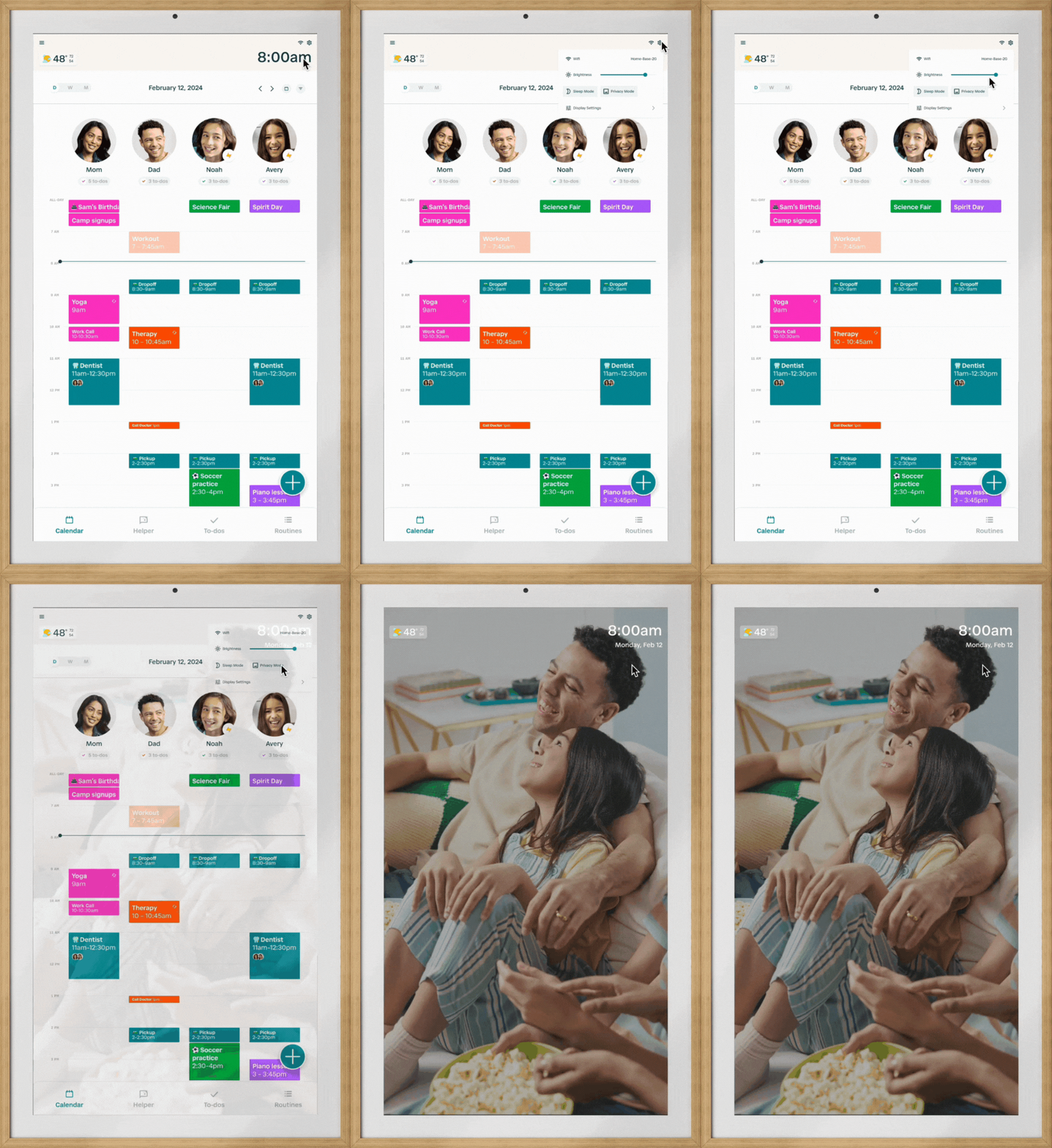
Pro Tip: You can also schedule your wallpaper to appear automatically by going to the Display Settings page on your Display’s menu. Click here for more information on Privacy Mode Timeout.
How do I delete images?
- Open the Companion App
- Tap the menu at the top-left
- Tap Display Settings
- Under Privacy Mode, tap a photo → tap Delete Photo
FAQs
Q: Why is the image I uploaded not replacing my current wallpaper?
If you are uploading a wallpaper image with the same name as your current wallpaper, the new file may not appear. To ensure that it appears correctly, simply add a version number to your new file's name, for example, file-v2.jpg.
Q: Why doesn’t my uploaded image show up on the Companion App?
Hearth Display accepts the following image formats: HEIC, JPEG, JPG, PNG, BMP, MPEG, MPG, WEBP, WEBM, AIFF, CAF. While Hearth Display accepts these formats, not every browser is compatible with the HEIC format. If you are noticing a broken image from your browser, check that the browser accepts the image format that you are using for your Hearth Display.
Q: How do I take photos in JPEG format to use with my Hearth Display?
To take photos in JPEG format, you will need to update your camera settings. These changes will allow you to upload future images to your Hearth Display.
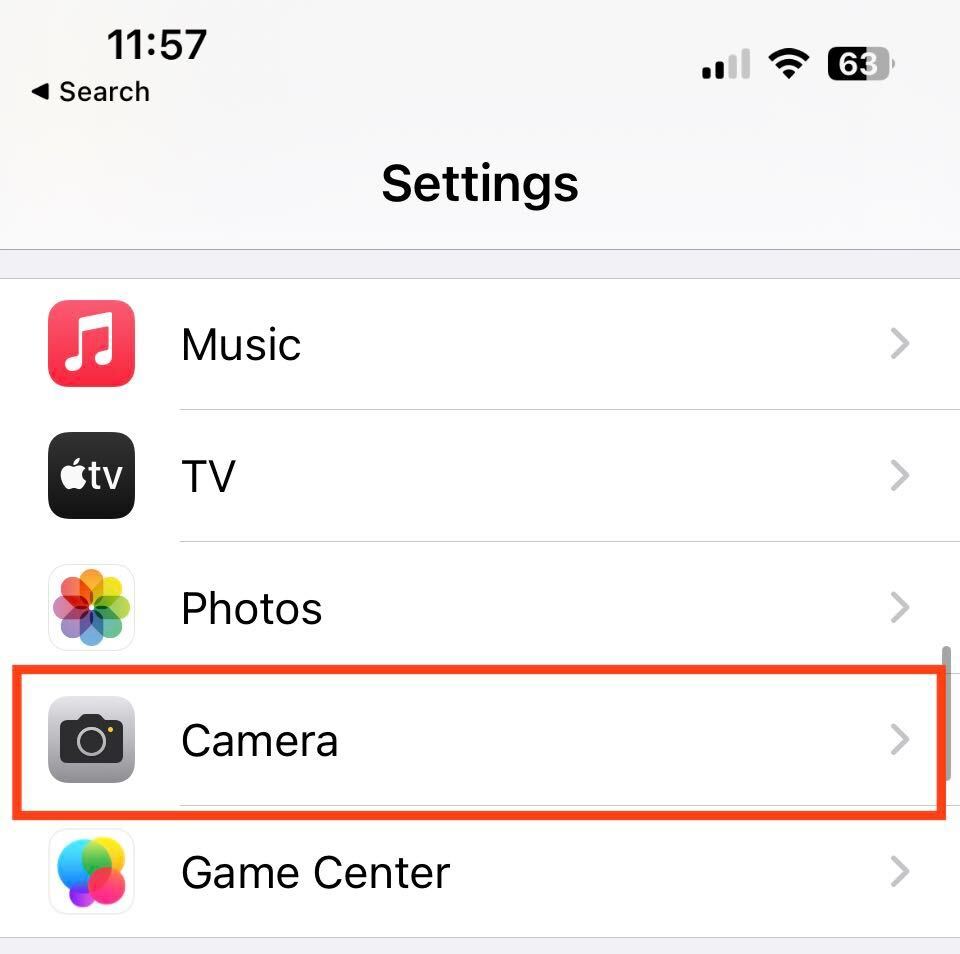
- On your iPhone, go to Settings
- Select Camera to view and open the camera’s settings
-
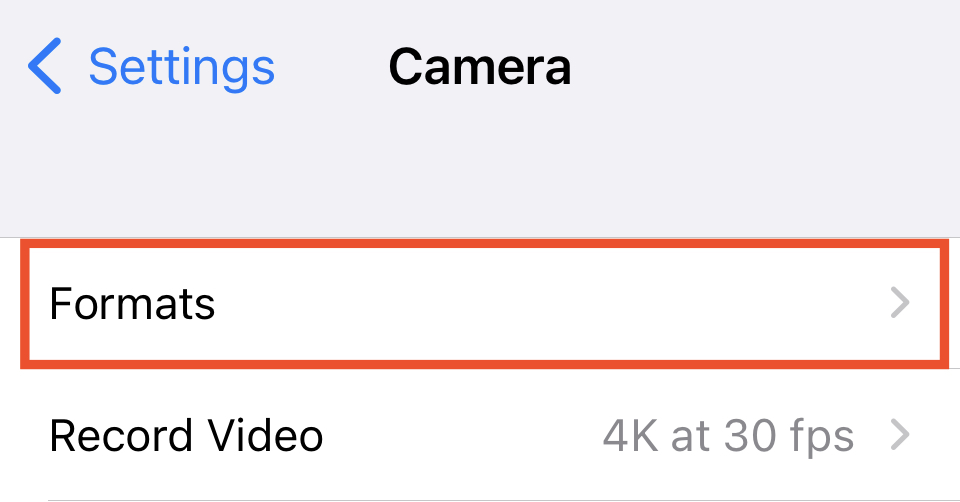
Click on Formats
- Select ‘Most Compatible’
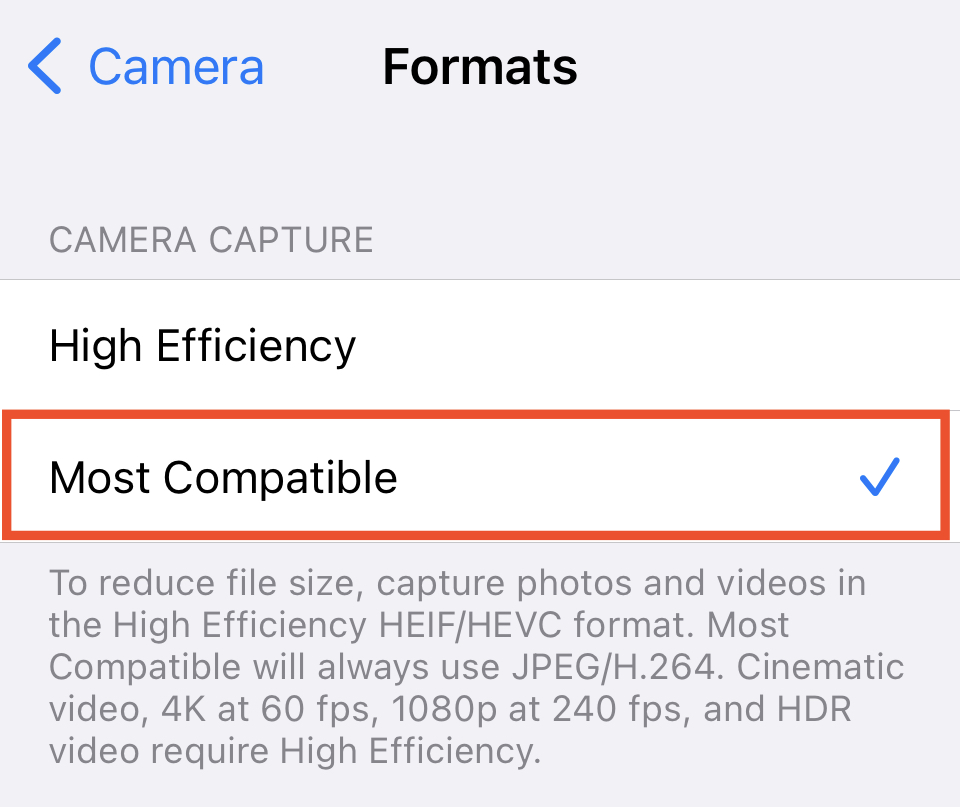
From here, all newly taken images should then be in JPEG format rather than HEIC and can be uploaded to your Hearth Display as your wallpaper.