Q: How do I obtain my Apple Calendar’s URL from the Calendar App?
To add and view an Apple Calendar on Hearth, you will need to obtain its URL from the Calendar app on your iPhone / iPad / Mac.
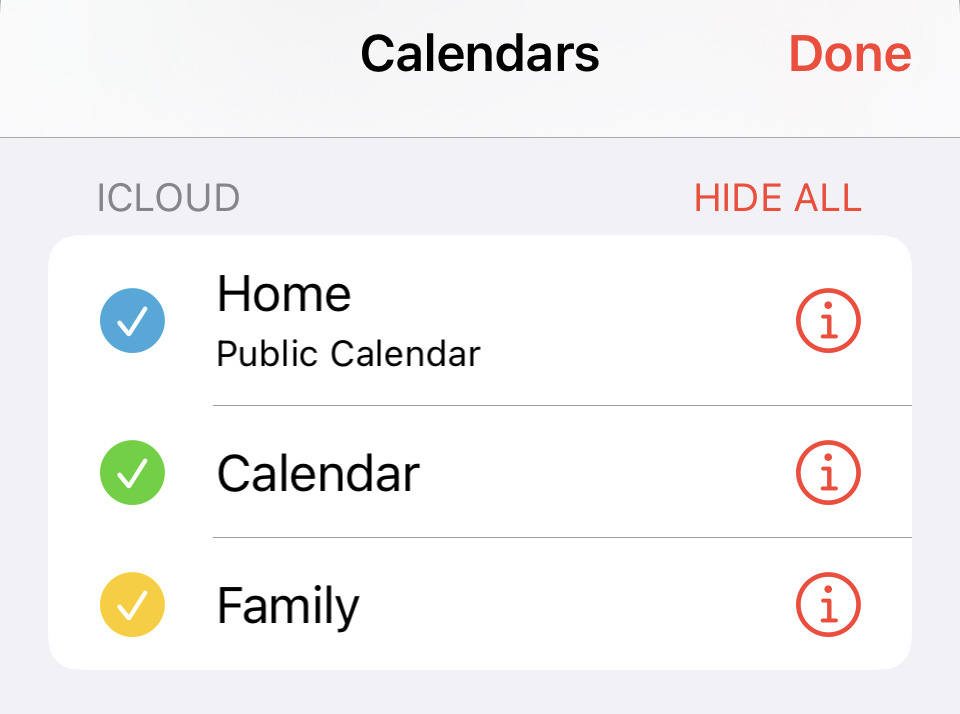
- From the Apple Calendar app, click on “Calendars” at the bottom of the screen.

- Select the “i” icon to the right of the iCloud calendar you’re adding.
-
At the bottom of the Edit Calendar screen, make sure that the toggle for “Public Calendar” is turned on.

-
Next, tap on “Share Link…”, and then “Copy”.

- Once the URL has been copied, open the Hearth Companion app, and select the "Manage Calendars" page from the menu.
- From the "Manage Calendars" page, select "Connect Calendars" at the top of the screen.
- From here, select Apple Calendar.
- Finally, paste the URL copied from the Apple Calendar app, enter your desired calendar name, and select "Save".
With Apple Calendar, some event changes may take up to 4 to 8 hours to sync and reflect on your Hearth calendar. Rest assured, any changes made to your events will appear on your Hearth calendar for your reference!
Note: this is view-only, so you cannot edit your Apple Calendar events on Hearth.
Q: How do I obtain my Apple Calendar’s URL from icloud.com?
- From your desktop/laptop, head to icloud.com & Sign in.
- Click on the Calendar icon.
- On the left-hand side of the screen, you will find your Apple Calendars listed.
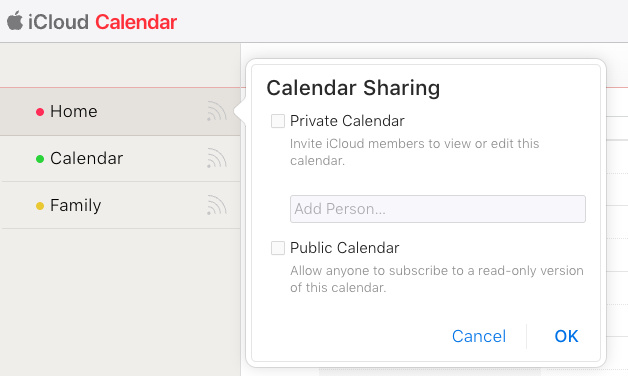
- Click on the share button found to the right of your desired calendar’s name.
-
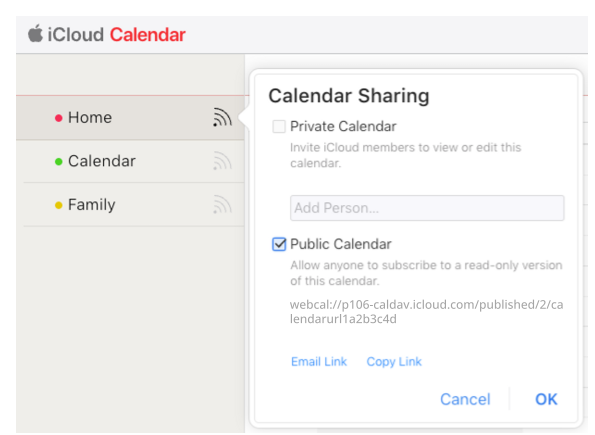
From here, ensure that the checkbox beside Public Calendar has been checked off, and finally, select “Copy Link”.
- Once the URL has been copied, open the Hearth Companion app, and select the "Manage Calendars" page from the menu.
- From the "Manage Calendars" page, select "Connect Calendars" at the top of the screen.
- From here, select Apple Calendar.
- Finally, paste the URL copied from icloud.com, enter your desired calendar name, and select "Save.
With Apple Calendar, some event changes may take up to 4 to 8 hours to sync and reflect on your Hearth calendar. Rest assured, any changes made to your events will appear on your Hearth calendar for your reference!
Note: this is view-only, so you cannot edit your Apple Calendar events on Hearth.